
After many decades of satellite and cable broadcasting, another means of entertainment is booming. The growth of internet connectivity in every household has led to the huge uptake of streaming platforms. Not only that, with high-speed internet, viewers get ultra-clear, buffer-free 4K streaming.
The only challenge many households face is a lack of knowledge about the required internet speeds for different streaming quality levels. Thus, they overestimate or underestimate realistic speed needs for smooth 4K streaming.
4 K is a tech term that refers to Ultra High Definition with 3840 × 2160 resolution found on various streaming platforms. It gives viewers the highest display quality, 4x sharper than Full HD (1080p). This streaming requires more data and speed due to higher quality. Some of the most common platforms offering 4K streaming globally include Netflix, YouTube, Amazon Prime Video, and GetHD, among others.
Recommended Mbs for 4K Streaming
4K streaming consumes high amounts of data every day, and may affect users who have subscribed to capped data. Experiencing 4K streaming at its best also requires high-speed connectivity for smooth watching. Most platforms recommend a minimum data speed of 15–25 Mbps per device, depending on the compression and streaming technologies.
However, for devices that are Ultra HD-enabled and streaming content such as live sports, the ideal speeds for real-world use range between 25–50 Mbps for a single 4K stream. Otherwise, it can reach 50–100+ Mbps for multiple users/devices.
When installing the internet, you may also need to consider other users with smaller gadgets, such as phones, laptops and gaming consoles. Some 4K streaming devices that allow background downloads and updates may also affect streaming quality when internet speeds are too low. To be on the safe side, consider adding 10–20 Mbps per additional device.
IPTV Streaming: A Popular Example
IPTV (Internet Protocol Television) is the most common form of streaming, especially for live sports, movies and documentaries. For subscribers to achieve a smooth 4K experience on any device, they need both high internet speed and high-quality service.
Since most IPTV streams deliver live TV channels over the internet, they need to be continuous and free of buffering. Otherwise, you will lose some action, and you can’t rewind what is already paid. Thus, companies always insist that users have a stable internet connection with a bandwidth of at least 25 Mbps for 4K channels.
For instance, an IPTV service with thousands of live channels in the UK, including sports, movies, and international content, requires a reliable home internet connection. Additionally, for lag-free viewing and high picture quality, viewers need to have a strong router or a wired connection. While such platforms can provide several 4K content in one device, your viewing experience can also be improved by your device’s optimization settings.
Hardware Factors That Affect IPTV Streaming
Besides the speed of the internet you purchase from your provider, other hardware issues may also affect streaming quality. Nowadays, Wi-Fi is the most common means of transmitting the internet and the strength and quality of the router can significantly undermine that. Not all routers are designed the same. Some brands are inefficient, while others transmit very strong signals.
During installation, the router’s location and its distance from the streaming device are other contributing factors to stream quality. This device should be located where it can contact nearby devices without barriers. It should also be on the same floor of the house. For better, more consistent connectivity, some users prefer to connect the internet cable directly to the smart TV when the router is in the farthest room.
The Internet is also provided by multiple providers, with some having so many users accessing their servers that network congestion occurs during peak hours. If you experience this, you may need to shift provider or use downloaded content that s not live during high-speed hours and watch later.
Finally, different devices have varying streaming capabilities depending on the make and model, whether it is a TV or a smartphone. Some leading manufacturers offer better devices, while others offer lower-quality devices to enable seamless streaming. Verify before purchase if the device is Full HD or Ultra HD compatible.
How to Test Your Internet Speed
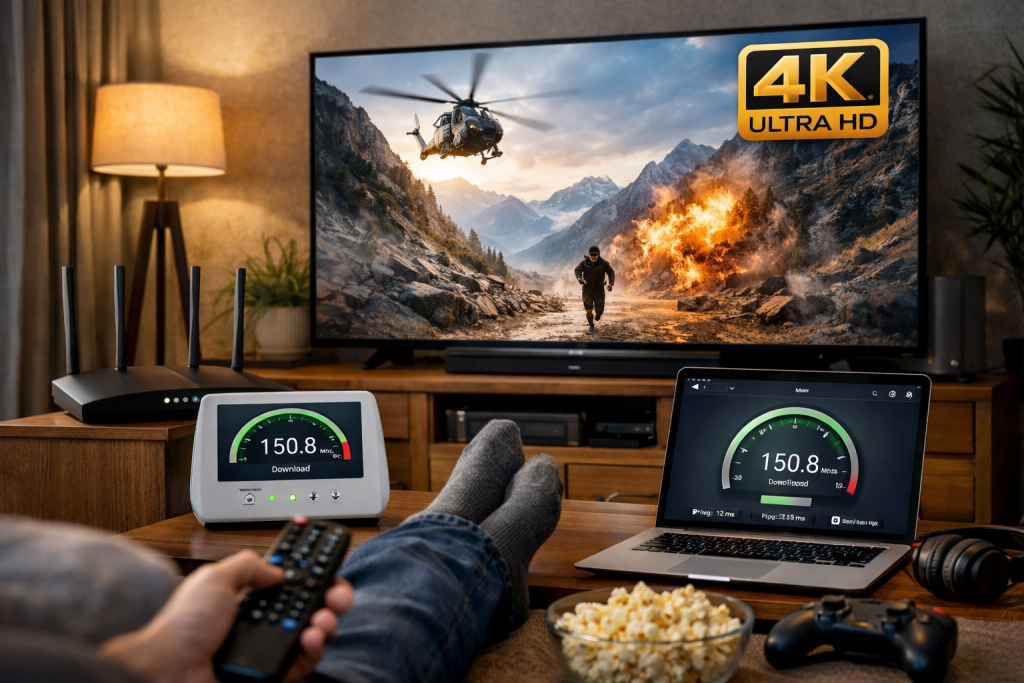
To ascertain the root cause of your streaming problem, you may need to test your internet speed using independent tools. One of the most popular is Speedtest by Ookla. Although speed is important, 4K streaming also requires consistent speed,t as it can result in buffering and lags.
While some service providers claim to offer higher speeds (Mbps), the stability may be questionable, adding no value. Carry out the exercise at different times of day for accurate results. For example, a stable internet connection as low as 20 Mbps performs better than an unstable connection at 50 Mbps.